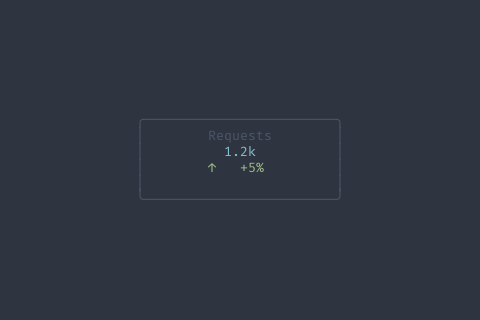
AddSparkValue | func (m *MetricCard) AddSparkValue(value float64, maxLen int) *MetricCard | AddSparkValue appends a value to sparkline with rolling window |
GetFieldHeight | func (m *MetricCard) GetFieldHeight() int | GetFieldHeight returns preferred height |
GetTrend | func (m *MetricCard) GetTrend() Trend | GetTrend returns the current trend |
GetValue | func (m *MetricCard) GetValue() string | GetValue returns the current value string |
SetCompact | func (m *MetricCard) SetCompact(compact bool) *MetricCard | SetCompact enables compact single-line mode |
SetLabel | func (m *MetricCard) SetLabel(label string) *MetricCard | SetLabel sets the metric label |
SetNumericValue | func (m *MetricCard) SetNumericValue(value float64, format string) *MetricCard | SetNumericValue sets value from a number with formatting |
SetShowBorder | func (m *MetricCard) SetShowBorder(show bool) *MetricCard | SetShowBorder enables/disables the card border |
SetShowSpark | func (m *MetricCard) SetShowSpark(show bool) *MetricCard | SetShowSpark enables/disables sparkline |
SetSparkline | func (m *MetricCard) SetSparkline(data []float64) *MetricCard | SetSparkline sets sparkline data |
SetSparklineMax | func (m *MetricCard) SetSparklineMax(max float64) *MetricCard | SetSparklineMax sets the max value for sparkline scaling |
SetThresholds | func (m *MetricCard) SetThresholds(warning, error float64, invert bool) *MetricCard | SetThresholds sets warning/error thresholds for value coloring |
SetTrend | func (m *MetricCard) SetTrend(trend Trend, value string, good bool) *MetricCard | SetTrend sets the trend indicator |
SetUnit | func (m *MetricCard) SetUnit(unit string) *MetricCard | SetUnit sets the unit suffix |
SetValue | func (m *MetricCard) SetValue(value string) *MetricCard | SetValue sets the displayed value |