HintGrid
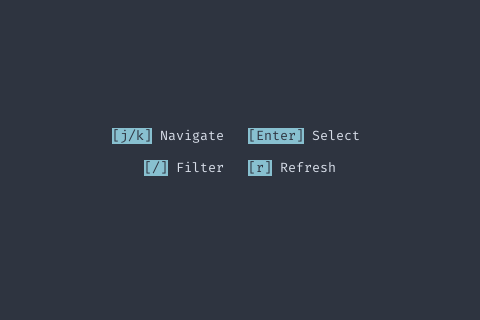
Usage
grid := components.NewHintGrid().  SetHints([]components.KeyHint{    {Key: "j/k", Description: "Navigate"},    {Key: "Enter", Description: "Select"},    {Key: "Space", Description: "Toggle"},    {Key: "Ctrl+S", Description: "Save"},    {Key: "Esc", Description: "Close"},  })
fmt.Println(grid != nil)
Methods
| Method | Signature | Description |
|---|---|---|
GetPreferredHeight | func (g *HintGrid) GetPreferredHeight(width int) int | GetPreferredHeight returns the total height needed to display all hints at the given width, including a blank-line gap between rows. |
SetHints | func (g *HintGrid) SetHints(hints []KeyHint) *HintGrid | SetHints sets the hints to display. |
Types
type KeyHint struct KeyHint represents a single key binding hint. | Field | Type | Description |
|---|---|---|
Key | string | e.g., "Enter", "Esc", "Space", "j/k" |
Description | string | e.g., "Select", "Close", "Toggle" |